
Mobile gaming has changed significantly. Many Android games now offer console-style gameplay, and a compatible gaming controller can make racing, action, adventure and platform games more comfortable to play.
But before buying one, there is an important decision to make: should you choose a USB-C gaming controller or a Bluetooth controller?
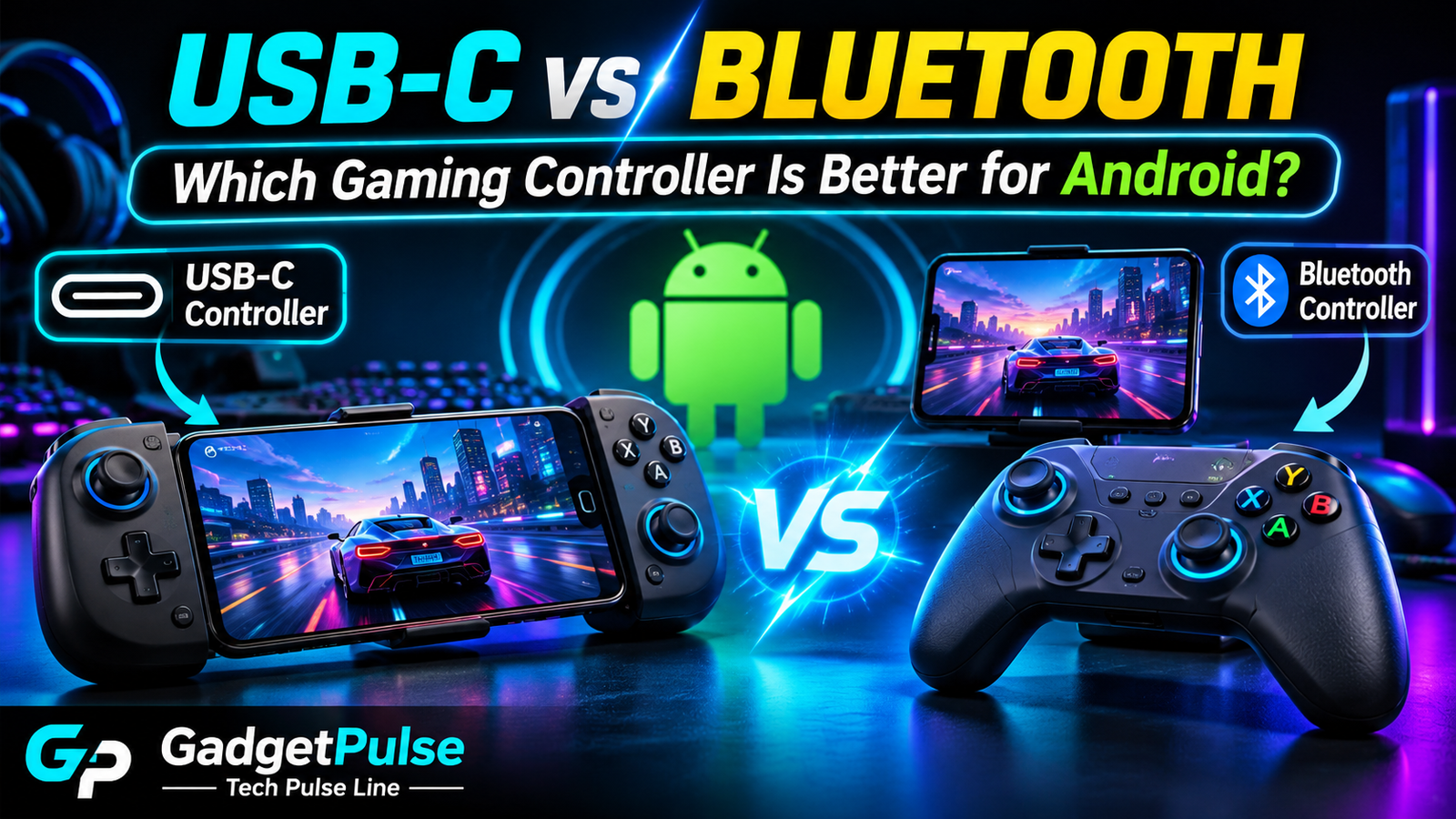
Both options can work well, but they offer different advantages. USB-C controllers connect directly to your phone, while Bluetooth controllers offer wireless freedom. The right choice depends on your phone, preferred games and how you like to play.
In this guide, we explain the differences, advantages, limitations and compatibility checks you should complete before purchasing a mobile gaming controller.
USB-C vs Bluetooth Gaming Controllers: Quick Comparison
| Feature | USB-C Controller | Bluetooth Controller |
|---|---|---|
| Connection | Direct USB-C connection | Wireless Bluetooth |
| Cable requirement | Connected to phone | No controller cable required |
| Phone charging port | Usually occupied | Usually remains free |
| Portability | Often attaches to phone | Can be used separately |
| Phone placement | Usually holds the phone directly | May need a separate phone holder |
| Compatibility | Depends on USB-C and device support | Depends on Bluetooth and controller support |
| Best for | Direct, compact setup | Flexible wireless gaming |
Neither connection type is automatically better for every gamer. Check the exact controller model and Android compatibility before making a decision.
1. What Is a USB-C Gaming Controller?
A USB-C gaming controller connects directly to your Android phone through its USB-C port.
Some models attach to both sides of the phone, creating a handheld gaming setup similar to a portable console. This design can make it easier to hold your phone and controller together.
Advantages of USB-C Controllers
- Direct connection to a compatible phone.
- No Bluetooth pairing process.
- Convenient handheld design.
- Some models include pass-through charging.
- Useful for gamers who prefer a compact setup.
Disadvantages of USB-C Controllers
- The phone’s USB-C port may be occupied.
- Phone cases can interfere with the connector.
- Controller dimensions may not fit every phone.
- A connected controller can make the setup less flexible.
- Charging and accessory compatibility must be checked.
A USB-C connector alone does not guarantee that every controller will work with every Android phone.
2. What Is a Bluetooth Gaming Controller?
A Bluetooth gaming controller connects wirelessly to your Android smartphone.
Unlike an attached USB-C controller, many Bluetooth gamepads can be used separately. You can place your phone on a stand and hold the controller comfortably.
Advantages of Bluetooth Controllers
- Wireless connection.
- More flexible phone placement.
- The USB-C charging port remains available.
- Can be convenient for gaming on a phone, tablet or supported TV.
- No physical controller connection to the phone is required.
Disadvantages of Bluetooth Controllers
- Requires pairing.
- Needs its own battery or charging.
- Wireless performance depends on the controller and surrounding conditions.
- You may need a separate phone stand.
- Compatibility still depends on the game.
Bluetooth is a useful option if you prefer sitting back and playing without attaching the controller to your smartphone.
3. Which Controller Has Lower Input Lag?
Input lag is the delay between pressing a button and seeing the action happen on the screen.
This matters in racing, fighting and competitive games, where responsive controls can improve the playing experience.
A direct USB-C connection avoids the Bluetooth wireless link, but that does not prove that every USB-C controller has lower end-to-end input lag than every Bluetooth controller.
Actual response time can depend on:
- Controller hardware and firmware.
- Phone hardware and Android version.
- The game’s input handling.
- Display refresh rate and rendering.
- Wireless conditions, when Bluetooth is used.
Be careful with advertisements that promise a specific millisecond advantage without explaining how the measurement was performed.
Our recommendation: If input responsiveness is your priority, compare independent tests of the exact controller models you are considering. Do not choose based only on USB-C or Bluetooth branding.
4. Does Every Android Game Support a Gaming Controller?
No. This is one of the most important things to understand before purchasing a controller.
Android can connect to compatible wired and Bluetooth game controllers. However, the game itself must also support controller input or provide a compatible control-mapping option.
A controller may connect successfully to your phone but still fail to control a particular game.
Before buying, check:
- Whether your favourite game supports gamepads.
- Whether the controller supports your Android version.
- Whether the buttons and joysticks are recognised correctly.
- Whether the controller needs a companion application.
- Whether the game supports native controller input or requires touch mapping.
Google’s Android Help provides instructions for connecting wired and Bluetooth controllers and customising supported controller settings.
5. What Should You Check Before Buying?
Do not purchase a gaming controller just because it looks attractive or has RGB lighting.
Check these points first.
Phone Compatibility
Confirm the supported phone dimensions, Android version and connection type. If you use a thick phone case, check whether it must be removed.
Game Compatibility
Make a list of the games you actually play. Confirm that those games support the controller’s input method.
Button Layout
Check the joystick position, shoulder buttons, triggers, D-pad and button arrangement. Comfortable controls matter during long gaming sessions.
Pass-Through Charging
Some controllers support charging the phone while the controller is connected. However, this feature is model-specific. Check the manufacturer’s specifications before assuming it is available.
Build Quality
Look for comfortable grips, reliable buttons, sturdy connectors and a suitable phone-holding mechanism.
Software Support
Check whether the manufacturer provides firmware updates, mapping software and clear compatibility information.
6. USB-C or Bluetooth: Which One Should You Choose?
The best option depends on your gaming habits.
| Your Requirement | Better Starting Choice |
|---|---|
| Directly attached gaming setup | USB-C |
| Wireless gaming | Bluetooth |
| Phone charging port should remain free | Bluetooth |
| Compact handheld arrangement | USB-C |
| Gaming with phone on a separate stand | Bluetooth |
| Competitive gaming | Compare exact models and measured response |
| Multiple supported devices | Check the controller’s device compatibility |
There is no universal winner. A well-designed Bluetooth controller may be a better purchase than a poorly designed USB-C model, and vice versa.
7. How to Connect a Gaming Controller to Android
The setup depends on the controller.
Connecting a Bluetooth Controller
- Charge your controller.
- Turn it on and activate pairing mode.
- Open Settings on your Android phone.
- Go to Connected devices.
- Select Pair new device.
- Choose your controller from the available devices.
- Open a compatible game and test the controls.
Connecting a USB-C Controller
- Check that the controller supports your phone.
- Remove the phone case if it blocks the connector.
- Connect the controller to the USB-C port.
- Allow any required connection permission.
- Open a game that supports controller input.
- Test all buttons and joysticks.
Android’s controller settings may also allow you to customise button and joystick assignments on supported devices.
Final Verdict: USB-C vs Bluetooth Gaming Controller
USB-C and Bluetooth gaming controllers both have useful advantages.
Choose a USB-C controller if you prefer a directly attached handheld setup and your phone supports the exact model.
Choose a Bluetooth controller if you want wireless flexibility, prefer using a phone stand or need to keep your USB-C port free.
Most importantly, check game compatibility before spending money. A controller that connects to Android is not necessarily supported by every mobile game.
A little research before buying can save you from purchasing an accessory that does not work with your favourite games.
Frequently Asked Questions (FAQs)
1. Is a USB-C gaming controller better than Bluetooth?
Not always. USB-C offers a direct connection, while Bluetooth offers wireless flexibility. The better option depends on your phone, controller model and gaming requirements.
2. Do Bluetooth gaming controllers work with Android phones?
Yes. Compatible Bluetooth controllers can connect to Android phones through the Bluetooth pairing process. The game must also support controller input.
3. Does a USB-C gaming controller work with every Android phone?
No. Compatibility depends on the controller, phone dimensions, USB-C support, Android version and software requirements.
4. Do all Android games support gaming controllers?
No. Some Android games support physical controllers, while others are designed primarily for touchscreen controls.
5. Can I charge my phone while using a USB-C gaming controller?
Some controllers include pass-through charging. Check the specifications of the exact model before purchasing.
6. Which gaming controller is better for racing games?
Both types can work well for racing games if the game supports controller input. Choose based on comfort, button layout and compatibility.
7. Does Bluetooth cause input lag in mobile gaming?
Bluetooth adds a wireless connection to the input path, but actual input lag varies by controller, phone, game and wireless conditions. Do not assume a fixed delay for every Bluetooth controller.
8. Should I buy a gaming controller or gaming triggers?
A full controller provides physical joysticks and multiple buttons, but only works properly in games with compatible controller support. Gaming triggers are designed to add physical buttons to touchscreen controls. Choose according to the games you play.