
Category: Gaming Gadgets
Twenty minutes into a BGMI or Free Fire match, your phone starts feeling like a hot plate. Then the frame rate drops, the screen dims, and the fight you were winning suddenly turns laggy.
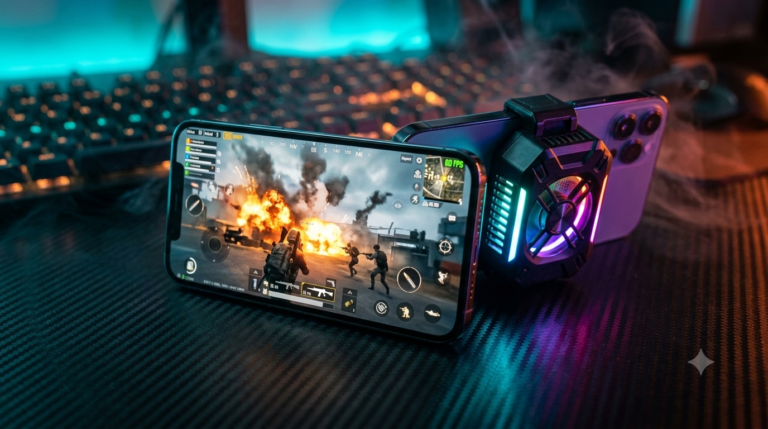
That’s usually your phone protecting itself. When the processor gets too hot, the phone slows it down on purpose, which is called thermal throttling. A clip-on mobile cooler can help by pulling heat away from the back of the phone, so it can stay at its peak for longer.
This is a buying guide, not a lab test. The details below come from manufacturer and retailer listings, and I’ve kept the claims modest. Prices change often, so always check the current price before you buy.
Two Types of Mobile Coolers
- Fan-only coolers: A small fan blows air onto the phone’s back. They’re cheap, but the cooling is mild.
- Semiconductor (Peltier) coolers: A thermoelectric plate gets cold when powered, and a fan blows away the heat it creates. These cool more strongly and are what most gamers mean by a “mobile cooler.”
A warning about very cheap listings: Some very low-priced “magnetic phone coolers” are essentially a fan with a magnet stuck on. If the listing doesn’t clearly mention a semiconductor or Peltier cooling plate, don’t expect much.
Options to Consider Around ₹1,000
All of these are from SpinBot’s IceDot range, which is easy to find in India. Prices below are what I saw on retailer and deal listings in mid-2026. They move around, and some sit just above ₹1,000, so check before buying.
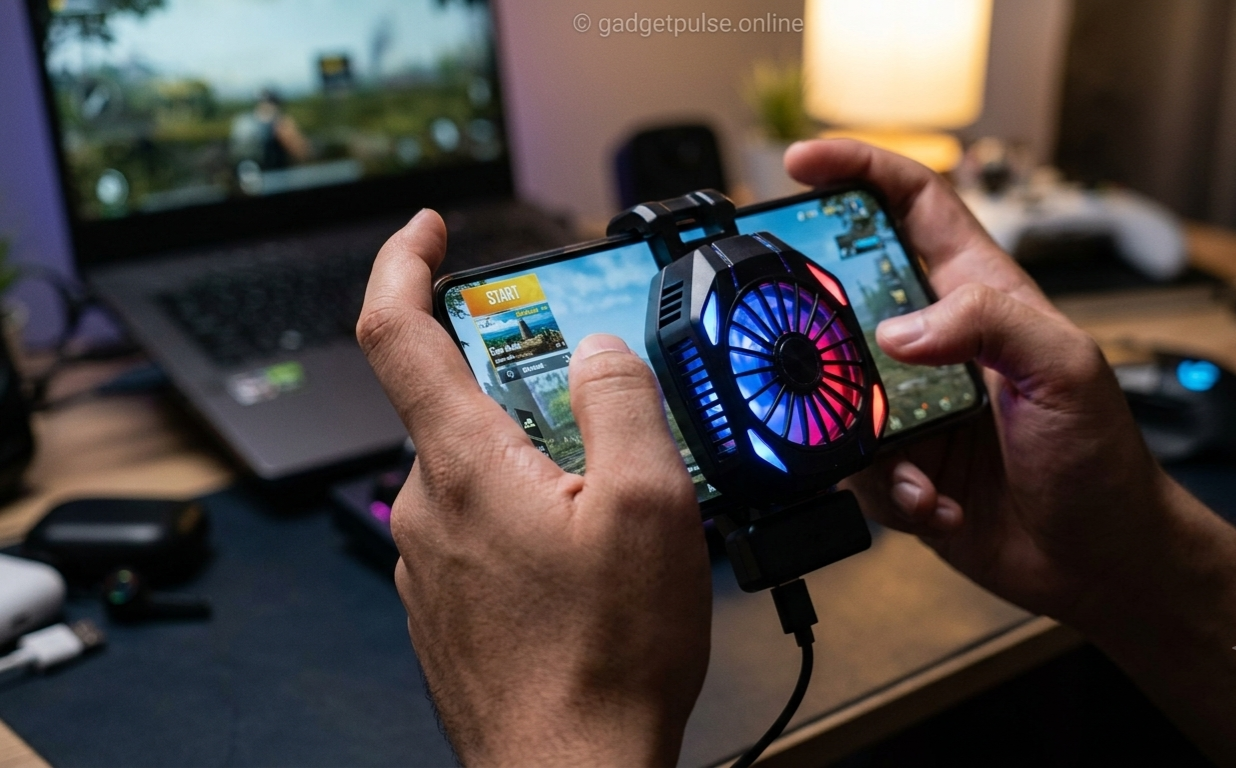
1. SpinBot IceDot (Clamp-On Semiconductor Cooler)
- What it is: A clip-on semiconductor cooler with RGB lighting, listed as fitting phones about 65-84 mm wide.
- Price seen: Roughly ₹980-₹1,077 on Amazon listings (MRP ₹1,999).
- Good for: A simple, no-fuss clamp cooler for Android or iPhone.
- The catch: It needs to be powered while you use it, so plan for a cable or a power bank.
2. SpinBot IceDot Neo (With Temperature Display)
- What it is: A semiconductor cooler with an RGB light and a built-in temperature display.
- Price seen: Around ₹834-₹851.
- Good for: Anyone who likes seeing the temperature on the display instead of guessing.
- The catch: Like the others, the display shows the cooler’s reading, not an exact measure of your phone’s processor.
3. SpinBot IceDot Mag Air 15W (Magnetic)
- What it is: A slim magnetic cooler with RGB lighting, listed at around ₹998 on Flipkart.
- Good for: iPhones with MagSafe, and Android phones that have a magnetic case or ring.
- The catch: Most Android phones need a magnetic ring or magnetic case for it to stick properly.
4. SpinBot IceDot Wireless (Battery-Powered)
- What it is: A cooler with its own battery. The listing mentions a 1,300mAh battery and roughly 1.5 hours of use.
- Price seen: Around ₹1,359, so it’s above ₹1,000.
- Good for: People who hate trailing wires.
- The catch: Limited battery time and a higher price.
How to Get the Most Out of a Mobile Cooler
- Take the case off. A thick case blocks heat from reaching the cooling plate.
- Find the hot spot. After a gaming session, feel where the back of your phone is warmest. That’s usually where the cooler should sit.
- Use a power bank for wired models. It’s easier than stretching a cable to a wall socket.
- Watch out for condensation. A very cold plate can make tiny water droplets form, especially in humid weather. Wipe the plate dry, and don’t leave the cooler running when it isn’t attached to a phone.
- Don’t over-cool. Cooling the phone as hard as possible isn’t necessary. Keeping it comfortably warm instead of hot is the goal.
Free Things to Try First
A cooler helps, but these cost nothing:
- Lower the graphics preset in the game.
- Avoid charging while gaming, especially on a fast charger.
- Don’t play in direct sunlight.
- Close other heavy apps before you start.
Final Thoughts
A mobile cooler isn’t a magic fix, and it won’t turn a weak phone into a powerful one. But if your phone gets very hot during long sessions, a semiconductor cooler is an affordable add-on that can help it stay steadier. Pick one that clearly says semiconductor, check the price and the clamp size for your phone, and keep an eye on condensation.
Related Reads on GadgetPulse
- How to See Deleted WhatsApp Messages on Android Without Any App
- 5 Secret Android Developer Settings to Boost Gaming Performance
Last updated: October 2026
Frequently Asked Questions
Q1. Will a mobile cooler increase my FPS?
Not directly. A cooler doesn’t add power to your phone. It helps the phone stay cooler, which may reduce throttling and let it hold its normal performance for longer. Results vary by phone and game.
Q2. Do mobile coolers drain my phone’s battery?
Not if they’re powered from a power bank, a wall adapter, or their own battery. A cooler that draws power from your phone’s USB-C port through an adapter can use some of your phone’s battery.
Q3. Are semiconductor coolers safe for phones?
They’re widely used and generally fine, but condensation is a real risk in humid conditions. Wipe the plate, avoid running it without a phone attached, and don’t cool the phone more than necessary.
Q4. Will it fit my phone?
Check the clamp width listed for the model (for the IceDot, about 65-84 mm). Very thick phones or cases may not fit, and magnetic models usually need a magnetic ring or case on Android.
Q5. Do I need to remove my phone case?
For clamp-on and magnetic coolers, yes, it works best on the bare back of the phone, since a thick case blocks the cooling.
Q6. Is a cooler better than a gaming phone?
No, they’re different things. A cooler is an affordable add-on for the phone you already own. A gaming phone has its own cooling design built in, and it costs much more.