
Choosing the right gaming monitor is not just about buying a screen with a high refresh rate. Screen size, resolution, panel technology, response time and connectivity all play an important role in the overall experience.
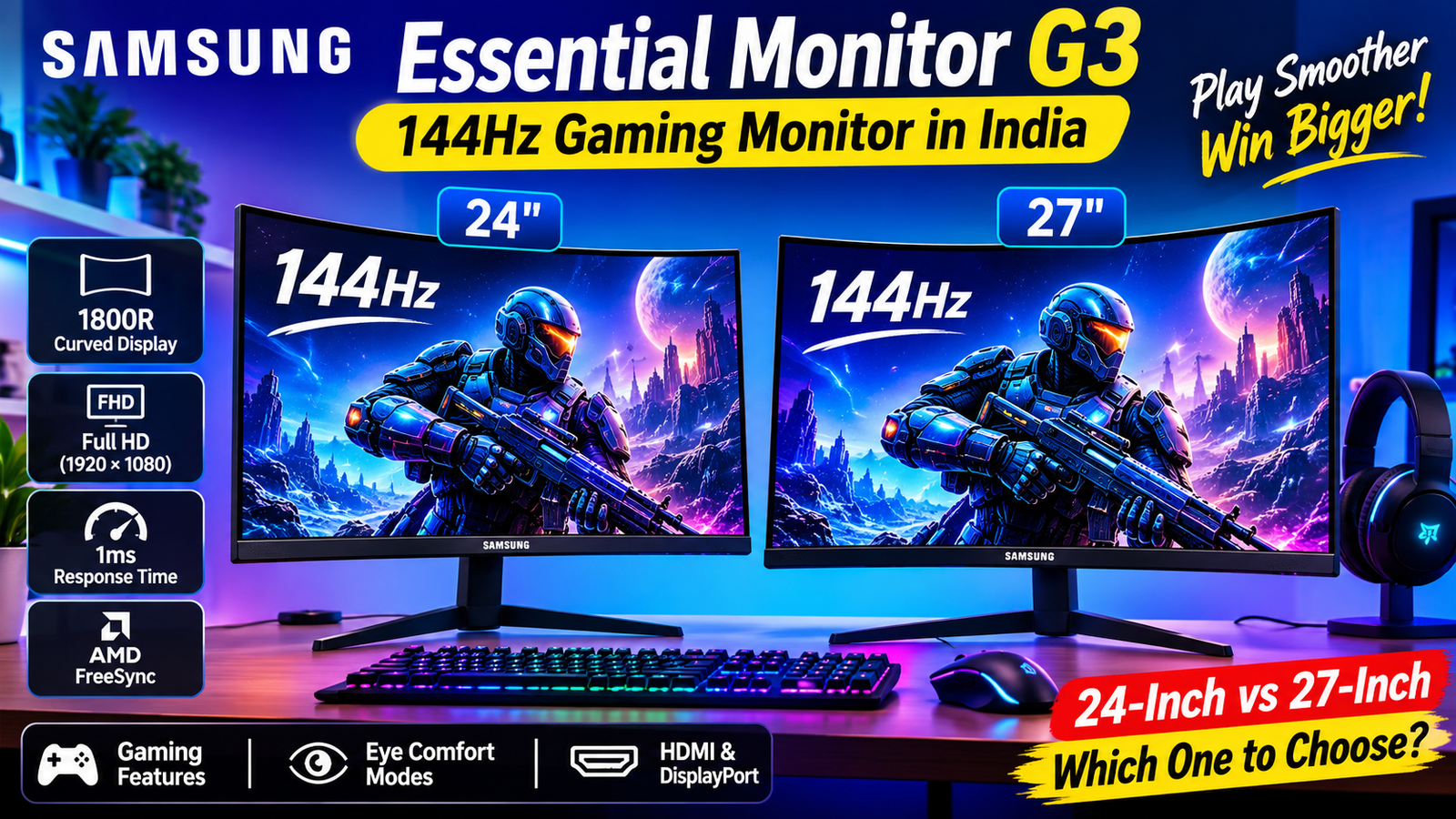
Samsung’s Essential Monitor G3 range brings two curved Full HD gaming monitor options to India: 24-inch and 27-inch models. Both feature a 144Hz refresh rate, a VA display panel and AMD FreeSync support.
But which size should you choose? Is a 144Hz monitor worth buying for everyday gaming? And what should you check before purchasing one?
Here is a detailed look at the Samsung Essential Monitor G3 series, its features, specifications and buying considerations.
Samsung Essential Monitor G3: 24-Inch and 27-Inch Models
Samsung has introduced 24-inch and 27-inch versions of the Essential Monitor G3 series in India. Both models are designed for users who want a curved Full HD display with a high refresh rate.
The monitors use a 1800R curved VA panel and support a maximum refresh rate of 144Hz.
The two screen sizes share many core specifications. The main difference is the physical display size and how sharp the same Full HD resolution appears at a typical viewing distance.
Samsung Essential Monitor G3 Specifications
| Feature | 24-Inch Model | 27-Inch Model |
|---|---|---|
| Screen size | 24-inch | 27-inch |
| Resolution | Full HD (1920 × 1080) | Full HD (1920 × 1080) |
| Panel type | VA | VA |
| Curvature | 1800R | 1800R |
| Maximum refresh rate | 144Hz | 144Hz |
| Response time | 1ms MPRT | 1ms MPRT |
| Typical brightness | 250 nits | 250 nits |
| Static contrast ratio | 3,000:1 | 3,000:1 |
| Adaptive Sync | AMD FreeSync | AMD FreeSync |
| DisplayPort | 1 × DisplayPort 1.2 | 1 × DisplayPort 1.2 |
| HDMI | 1 × HDMI 1.4 | 1 × HDMI 1.4 |
| Audio output | Headphone output | Headphone output |
Specifications can vary by exact regional model number. Always check the complete model number before purchasing.
1. 144Hz Refresh Rate for Smoother Gaming
One of the main features of the Samsung Essential Monitor G3 is its 144Hz refresh rate.
A standard 60Hz display refreshes the image up to 60 times per second, while a 144Hz monitor can refresh it up to 144 times per second.
This can make supported games feel smoother, especially in fast-paced titles where quick camera movement and responsive gameplay matter.
However, a 144Hz monitor does not automatically make every game run at 144 frames per second. Your computer or gaming device must be capable of producing enough frames to take advantage of the higher refresh rate.
Also, Samsung lists 60Hz as the default refresh rate in its product information. Users may need to select 144Hz through the monitor and computer display settings.
2. Curved 1800R VA Display
Both versions feature a curved 1800R VA panel.
The curved design gently wraps the display around the viewer’s field of vision. Some users may find this more comfortable for gaming and watching content, particularly when sitting directly in front of the monitor.
The VA panel also offers a listed static contrast ratio of 3,000:1. This can help darker scenes appear deeper compared with displays that have lower contrast ratios.
The monitors have a typical brightness rating of 250 nits. This is suitable for many indoor desk setups, although users working in very bright rooms should consider their lighting conditions before buying.
3. Full HD Resolution: Is It Better on 24 Inches or 27 Inches?
Both models use a Full HD resolution of 1920 × 1080 pixels.
The difference is how those pixels are spread across the screen.
On the 24-inch version, the same resolution is packed into a smaller display area. This generally produces a sharper-looking image at the same viewing distance.
The 27-inch model provides a physically larger picture, which some users may prefer for gaming and entertainment. However, because it uses the same Full HD resolution, individual pixels are spread over a larger area.
Here is a simple comparison:
- 24-inch: Better pixel density for users who prefer a sharper Full HD image.
- 27-inch: Larger viewing area for users who prefer a bigger screen.
- Both: Full HD resolution and a maximum 144Hz refresh rate.
If sharpness is your priority, the 24-inch model is worth considering. If screen size matters more, the 27-inch version may be a better fit.
4. AMD FreeSync Support
The Samsung Essential Monitor G3 series supports AMD FreeSync.
Adaptive sync technology helps coordinate the monitor’s refresh rate with the frame output of a compatible graphics device. This can reduce screen tearing and make gameplay look smoother when supported correctly.
The actual experience depends on the connected graphics hardware, supported settings and game performance.
Before purchasing, check that your graphics card and connection support the display features you want to use.
5. Gaming Features and Eye Comfort
Samsung includes several additional features designed to improve the display experience.
Black Equalizer: Helps make details in darker areas more visible in supported gaming situations.
Virtual AIM Point: Provides an on-screen aiming point that may be useful in compatible gaming scenarios.
Eye Saver Mode: Adjusts certain display settings to help reduce blue-light exposure.
Flicker Free: Designed to reduce visible screen flickering.
Auto Source Switch: Helps the monitor detect an active connected input source.
These features can be useful, but they do not replace good screen positioning, suitable room lighting or regular breaks during long gaming sessions.
6. Connectivity and Ports
The Essential Monitor G3 models include:
- One DisplayPort 1.2 connection
- One HDMI 1.4 connection
- One headphone output
This provides basic connectivity for a desktop computer, laptop or compatible gaming device.
However, users should not assume that every connected device will support 144Hz automatically.
The maximum refresh rate depends on the device, output port, cable, resolution and supported display timing. Check compatibility before buying, especially if you plan to connect a gaming console or laptop.
Samsung Essential Monitor G3 Price and Availability in India
Samsung’s India product pages list the 24-inch and 27-inch Essential Monitor G3 models, with an indicated launch date of October 1, 2026.
However, a confirmed retail selling price was not clearly available in the product information reviewed for this article.
Therefore, it would be misleading to publish an estimated price as an official Samsung price.
Check the latest listing on Samsung India or an authorised retailer before making a purchase. Also compare the exact model number, warranty and return policy.
24-Inch vs 27-Inch Samsung G3: Which One Should You Choose?
The right model depends on your desk space, viewing distance and personal preference.
Choose the 24-inch model if:
- You prefer a sharper Full HD image.
- You have a compact gaming desk.
- You mainly play competitive games.
- You usually sit relatively close to your monitor.
Choose the 27-inch model if:
- You prefer a physically larger screen.
- You have enough desk space.
- You enjoy larger visuals for gaming and entertainment.
- You are comfortable with Full HD resolution on a 27-inch display.
Neither size is automatically better for everyone. Consider your viewing distance and the type of games you play.
What Should You Check Before Buying a 144Hz Monitor?
Before purchasing the Samsung Essential Monitor G3 or another gaming monitor, consider these points:
- Graphics card compatibility: Confirm that your computer can output the resolution and refresh rate you want.
- Correct refresh-rate setting: Check the display settings after connecting the monitor.
- Cable compatibility: Use a suitable cable and connection supported by your device.
- Response-time claims: Understand that 1ms MPRT is not the same measurement as 1ms GtG.
- Screen size: Compare 24-inch and 27-inch Full HD displays in relation to your viewing distance.
- Warranty and return policy: Check these details before placing your order.
- Exact model number: Confirm that the listing matches the curved VA version you intend to buy.
Final Verdict
The Samsung Essential Monitor G3 24-inch and 27-inch models offer a similar set of core gaming features, including a curved 1800R VA panel, Full HD resolution, 144Hz refresh rate and AMD FreeSync support.
The biggest decision is the screen size.
The 24-inch version is worth considering if you prefer sharper Full HD visuals, while the 27-inch model is suitable for users who want a larger display.
The 144Hz refresh rate can be useful for compatible games and hardware, but buyers should check their computer’s capabilities and the monitor’s connection requirements before purchasing.
Since a confirmed selling price was not clearly available, compare current retailer listings before deciding whether either model offers good value.
Frequently Asked Questions (FAQs)
1. What is the refresh rate of the Samsung Essential Monitor G3?
The 24-inch and 27-inch models support a maximum refresh rate of 144Hz.
2. Is the Samsung Essential Monitor G3 a curved monitor?
Yes. Both models discussed in this article feature a curved 1800R VA display.
3. What is the resolution of the Samsung G3 gaming monitor?
Both versions use Full HD resolution of 1920 × 1080 pixels.
4. Does the Samsung Essential Monitor G3 support AMD FreeSync?
Yes. Samsung lists AMD FreeSync support for these models.
5. Is the 24-inch or 27-inch model better?
The 24-inch version offers higher pixel density at the same Full HD resolution. The 27-inch model provides a larger physical display. Your choice depends on viewing distance and personal preference.
6. Does the Samsung G3 support 1ms response time?
Samsung lists a 1ms MPRT response-time specification. MPRT and GtG are different measurement methods, so they should not be treated as identical.
7. Does the monitor automatically run at 144Hz?
Not necessarily. Samsung lists 60Hz as the default setting in its product information. Users may need to select 144Hz in the display settings, provided the connected device and connection support it.
8. Can I use the Samsung Essential Monitor G3 with a laptop?
Yes, if the laptop has a compatible video output and the correct cable or adapter. The available resolution and refresh rate depend on the laptop’s hardware and connection.
9. Is the Samsung Essential Monitor G3 suitable for competitive gaming?
Its 144Hz refresh-rate support can be useful for competitive gaming when paired with hardware capable of producing higher frame rates. Actual performance also depends on the game and system configuration.
10. What ports are available on the Samsung G3?
The models discussed include DisplayPort 1.2, HDMI 1.4 and a headphone output. Confirm the exact model’s specifications before purchase.
11. Is 27-inch Full HD good for gaming?
It can be suitable for users who prefer a larger screen. However, Full HD pixels are spread over a larger area on a 27-inch display, so it may look less sharp than the 24-inch version at the same viewing distance.
12. Should I buy the Samsung Essential Monitor G3?
Consider it if you want a curved Full HD monitor with a 144Hz maximum refresh rate and FreeSync support. Compare its final retail price with other monitors offering similar features before making your decision.
About GadgetPulse: GadgetPulse covers smartphones, gaming hardware, computers, smart home technology and practical technology guides to help readers make informed buying decisions.